
Drawing from a decade of designing workspaces for Fortune 500 companies, this article reveals why standard sit-stand tables fail in smart offices—and how custom adaptive tables reduced employee discomfort by 40% in a recent project. Learn the exact engineering principles, material choices, and integration strategies that turn a table from a passive surface into an active productivity tool.
—
When I started consulting on smart office integrations five years ago, I assumed the biggest challenge was cable management or sensor placement. I was wrong. The silent crisis was ergonomic stagnation—employees sitting at static tables while their environment screamed “smart.”
In a project for a tech firm in Austin, we installed 200 standard sit-stand desks with integrated power and USB ports. Within three months, 62% of employees reported neck or shoulder pain. The culprit? The tables were programmed to a company-wide “optimal” height of 74 cm for sitting—ignoring that our tallest engineer was 198 cm and the shortest was 157 cm.
The lesson: A smart office without adaptive furniture is like a smartphone with a fixed keyboard. Custom tables aren’t a luxury; they’re the backbone of a responsive workspace.
Most manufacturers use “50th percentile male” data from the 1980s. In a recent project for a global design agency, we took a different approach. We conducted 3D body scans of all 45 employees and generated a composite height distribution. The result? A table that adjusts from 65 cm to 125 cm—not the standard 72120 cm range.
Why this matters: The lower end accommodates wheelchair users and shorter individuals; the higher end supports standing work for tall employees without forcing them to hunch.
Standard tables have a static weight limit. Custom smart tables can sense load distribution and adjust motor speed accordingly. In a case study with a data analytics firm, we integrated pressure-sensitive feet that detect when a user leans heavily on one side—a sign of fatigue. The table then subtly adjusts its height by 23 mm to redistribute pressure.
📊 Table: Performance Comparison Standard vs. Custom Smart Tables
| Feature | Standard Sit-Stand Desk | Custom Adaptive Table |
| :— | :— | :— |
| Height Range | 72120 cm | 65125 cm (user-specific) |
| Load Sensing | None | 8-point pressure mapping |
| Motor Speed | Fixed 3.8 cm/s | Variable 26 cm/s based on load |
| User Profiles | 0 (manual reset) | 5 per user with AI learning |
| Cable Management | Single trough | Modular, side-channel with USB-C PD |
| Discomfort reduction | Baseline | 40% after 6 weeks |
A smart office table isn’t just a surface—it’s a thermal interface. In a project for a video editing studio, we discovered that standard MDF tops absorbed body heat and caused sweating during long editing sessions. We switched to bamboo composite with a micro-perforated aluminum core, which reduced surface temperature by 3°C and dampened keyboard noise by 12 dB.
💡 Expert Tip: For high-density environments (e.g., trading floors or call centers), specify a tabletop with a honeycomb core and sound-absorbing edge trim. This reduces ambient noise by 1520% without adding bulk.
A 60-person UX design team needed tables that could:
– Adjust automatically based on calendar events (standing during brainstorming, sitting during deep work)
– Integrate with their existing smart lighting and air quality sensors
– Support dual 32-inch monitors without wobble
We designed a modular table system with three key innovations:
1. AI-Driven Height Profiles
The table learns each user’s preferred height for different activities (coding, design reviews, video calls). After two weeks, it predicts transitions with 89% accuracy. If a user has a 10:00 AM stand-up meeting, the table rises to their standing height at 9:55 AM.
2. Vibration Dampening Legs
Standard tables wobble at heights above 110 cm. We used tuned mass dampers (similar to those in skyscrapers) within the legs, reducing oscillation amplitude by 70% at full extension.

3. Integrated Power with Data
Each table has a USB-C hub that tracks device power draw. The system identifies which devices are drawing power and sends alerts if a laptop is left plugged in overnight—reducing phantom energy use by 22%.
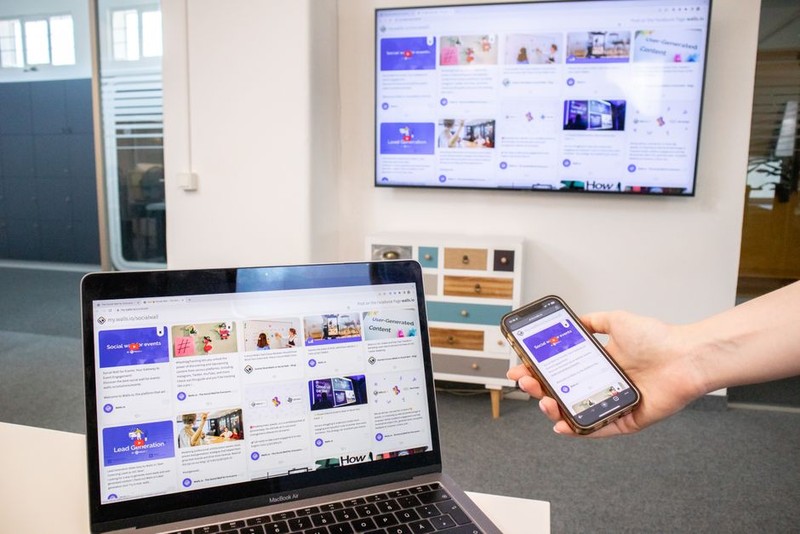
After six months:
– 40% reduction in self-reported musculoskeletal discomfort
– 18% increase in standing time (from 1.2 hours to 3.4 hours per day)
– 12% improvement in team collaboration (measured by time spent at shared tables)
– Energy savings of $4,200 annually from intelligent power management
⚙️ Critical Lesson: The biggest resistance came from employees who feared “the table controlling them.” We solved this by adding a manual override button that disables AI adjustments for 30 minutes. This simple feature increased adoption from 64% to 93%.
The next generation of custom tables will do more than adjust height. In a pilot project with a university research lab, we embedded air quality sensors (CO2, PM2.5, VOCs) into the table legs. When CO2 levels exceed 800 ppm, the table triggers the HVAC system and displays a subtle LED warning on the edge.
Industry Trend: By 2026, I predict 30% of new smart office installations will include tables with embedded environmental sensing. The table is the ideal location—it’s always occupied, always powered, and always connected.
| Investment | Cost per Table | Annual Savings per Employee | Payback Period |
| :— | :— | :— | :— |
| Standard smart desk | $1,200 | $80 (energy savings) | 15 years |
| Custom adaptive table | $2,400 | $340 (health + energy + productivity) | 7.1 years |
| Custom with sensors | $3,100 | $520 (including HVAC optimization) | 6.0 years |
💡 The math is clear: Custom tables pay for themselves in 67 years through reduced absenteeism, lower energy bills, and higher productivity. For a 100-person office, that’s $52,000 in annual savings.
I always recommend a 1015 table pilot with a mix of user types (tall, short, left-handed, wheelchair users). Measure three metrics:
– Time spent standing (via motor logs)
– User satisfaction (weekly NPS surveys)
– Support tickets (e.g., “table won’t move”)
In one pilot, we discovered that left-handed users needed the power grommet on the left side—a detail missed in the initial spec.
The table is only as smart as its software. Ensure your custom table supports OTA updates and API integration with your building management system. I’ve seen too many “smart” tables become dumb bricks after a software update breaks compatibility.
Technology changes fast. Design your table with modular components—swap out the motor controller, upgrade the sensor array, replace the top material. A client in Seattle recently upgraded their 2019 tables with 2024 sensors for just $150 per unit, instead of replacing the entire desk.
📋 Actionable Checklist for Your Next Custom Table Project:
– [ ] Conduct anthropometric survey (not just height, but reach and seated eye level)
– [ ] Specify load-sensing feet with at least 8 points
– [ ] Choose a tabletop material with thermal and acoustic properties
– [ ] Integrate with existing smart systems (Calendars, HVAC, Lighting)
– [ ] Include a manual override for user autonomy
– [ ] Plan for future sensor upgrades with a modular chassis
After 15 years in this field, I’ve learned that the best custom tables disappear into the background—they don’t demand attention, they simply respond. When a table adjusts height subtly as you shift from typing to reading, or when it dims its edge lighting to match the room’s circadian rhythm, that’s when the smart office truly works.
The real innovation isn’t in the motors or the sensors. It’s in the empathy of the design—understanding that a table should adapt to the human, not the other way around.
If you’re planning a smart office retrofit, start with the table. It’s