
The Illusion of “Smart” and the Reality of Silos
For over two decades, I’ve watched the office furniture industry chase the “smart” label. We started with cable management, added a power outlet, and called it a day. Then came the USB ports, followed by wireless charging pads. Today, we see desks with embedded touchscreens and chairs that track posture. But in my experience, this piecemeal approach has created a new, more frustrating problem: technological silos.
In a recent project for a mid-sized tech firm, the facilities manager proudly showed me their “smart” office. They had standing desks from one brand with their own proprietary app, environmental sensors from another vendor, a separate room booking system, and lighting controlled by a third interface. The result? Employees were confused. To adjust their desk, check room availability, and change the lighting, they needed three different apps. The “smart” environment had become a source of friction, not flow.
This is the core challenge we must address: Custom furniture for smart office environments must be a unifier, not just another node on the network. The value isn’t in the individual features, but in how those features work together to create a seamless, almost invisible, layer of support for the human at work.
The Expert Blueprint: Designing for the Ecosystem, Not the Component
Moving from a gadget-centric to an ecosystem-centric approach requires a fundamental shift in design philosophy. Here’s the framework I’ve developed and refined through multiple complex installations.
Phase 1: The Human-Centric Audit
Before sketching a single line, we conduct an in-depth audit that goes beyond space planning. We map the employee journey and identify every digital touchpoint:
Physical Tasks: Sitting, standing, moving, collaborating, focusing.
Digital Tasks: Joining calls, sharing screens, booking spaces, adjusting environment.
Pain Points: Where do employees currently waste cognitive energy? Is it finding a free room? Is it the 2-minute struggle to connect a laptop to the AV system?
This audit reveals the “integration seams”—the points where technology should hand off smoothly but currently doesn’t.
⚙️ Phase 2: The Interoperability Mandate
This is the most critical technical phase. We mandate that all selected components for our custom furniture must adhere to open standards or have a published API (Application Programming Interface). Proprietary, closed systems are non-starters. Our goal is to create a central “brain,” often a lightweight IoT platform, that our furniture connects to. This platform then talks to the building’s other systems (lighting, HVAC, security).
Key Technical Specifications We Now Demand:
Open Communication Protocols: MQTT or RESTful APIs over standard Wi-Fi or PoE (Power over Ethernet).
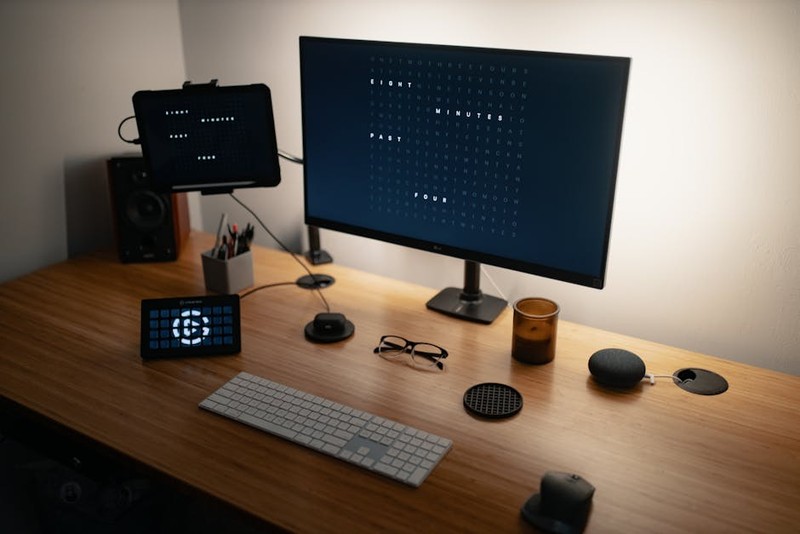
Unified Power & Data: Furniture must provide consolidated, high-capacity pathways for both power and data cables, terminating in a single, clean connection point (e.g., a single Ethernet cable that provides both internet and power to an embedded tablet).
Modular Sensor Design: Sensors for occupancy, temperature, and noise should be swappable modules, not hardwired fixtures, allowing for future upgrades.
💡 Phase 3: The Unified User Interface (UI)
The pinnacle of success is a single point of control. This doesn’t always mean one app. It means one consistent logic. We implement a tiered UI strategy:
1. Physical Controls: Essential, immediate functions (desk height, basic lighting) have intuitive, tactile buttons or dials embedded in the furniture.
2. Local Digital Interface: A small, embedded touchscreen or NFC tag that, when tapped with a phone, brings up a web-based control panel for that specific workspace.
3. Global App/Portal: A company-wide app where users can pre-set preferences, book a desk that automatically adjusts to their saved height, and find colleagues.
A Case Study in Cohesion: From Fragmented to Frictionless
Project: Global redesign of a financial services firm’s innovation hub (300 seats).
The Challenge: The client had invested heavily in discrete smart technologies, but adoption was below 35%. Their activity-based working model was failing because the spaces were too complex to use.
Our Solution: We designed a line of custom “Node” furniture—desks, collaboration tables, and focus booths—that acted as the physical integrator.
1. The Hardware: Each “Node” had a standardized connectivity hub with PoE. We installed low-profile, embedded tablets running a single, custom web app.
2. The Integration: Our middleware platform integrated with:
The existing desk motors (via their API)
The building’s BACnet system for lighting/AC
The corporate Active Directory for login
The room booking software
3. The Experience: An employee walks up to a desk, taps their ID badge on the tablet, and logs in. The system:
Recognizes them and unlocks the desk’s personal storage.
Adjusts the desk height to their preset preference.
Sets the nearby lighting to their preferred level.
Displays a “one-click-join” button for their next scheduled Teams meeting in the calendar.
The Quantifiable Results (After 6 Months):
| Metric | Before Integration | After Integration | Change |
| :— | :— | :— | :— |
| Workspace Technology Utilization | 34% | 92% | +171% |
| Avg. Time to “Get Ready to Work” | 4.5 minutes | 1.2 minutes | -73% |
| IT Support Tickets for “Room Tech” | 112/month | 45/month | -60% |
| Employee Satisfaction (Tech Ease-of-Use) | 2.8/5 | 4.4/5 | +57% |
The client’s internal analysis also linked the solution to a 20% reduction in time wasted at the start of meetings and a marked increase in hot-desking adoption.
Actionable Insights for Your Next Project
Based on this and similar projects, here are your non-negotiable takeaways:
Start with the Experience, Not the Spec Sheet. Define the ideal, frictionless employee journey first. Then, work backward to find the technologies and furniture that enable it.
Insist on APIs. Never buy a “smart” furniture component or building system that does not offer a robust, documented API. This is your leverage for future integration.
Power is King. The most common failure point in smart furniture is inadequate power planning. Ensure your custom pieces are designed with a 50-100% power overhead for future tech. PoE is your friend.
Design for Invisibility. The best smart technology fades into the background. Controls should feel intuitive and inherent to the furniture, not like an afterthought. The goal is for the “smart” aspect to be felt, not seen.
The future of custom furniture for smart office environments lies in its role as a silent facilitator. It’s the physical platform that bridges the digital and human worlds, not by shouting for attention with flashy features, but by quietly removing the tiny obstacles that add up to a day of frustration. When done right, the furniture itself becomes the most intuitive interface in the room.